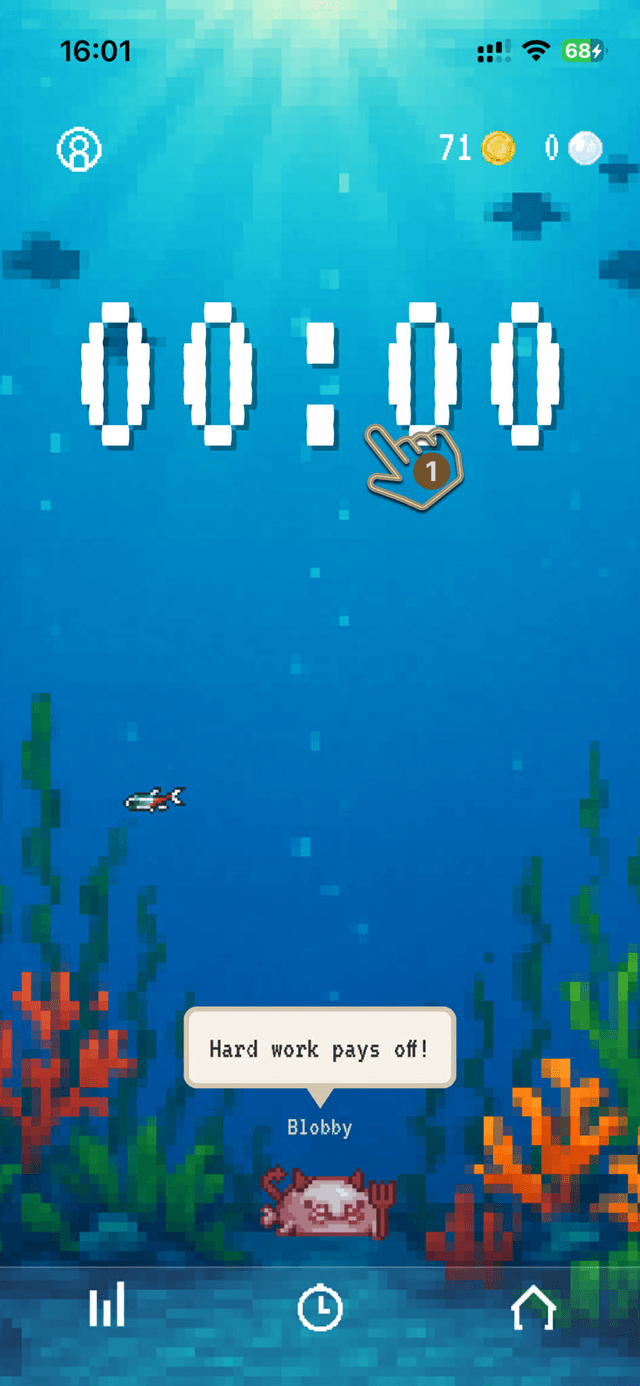
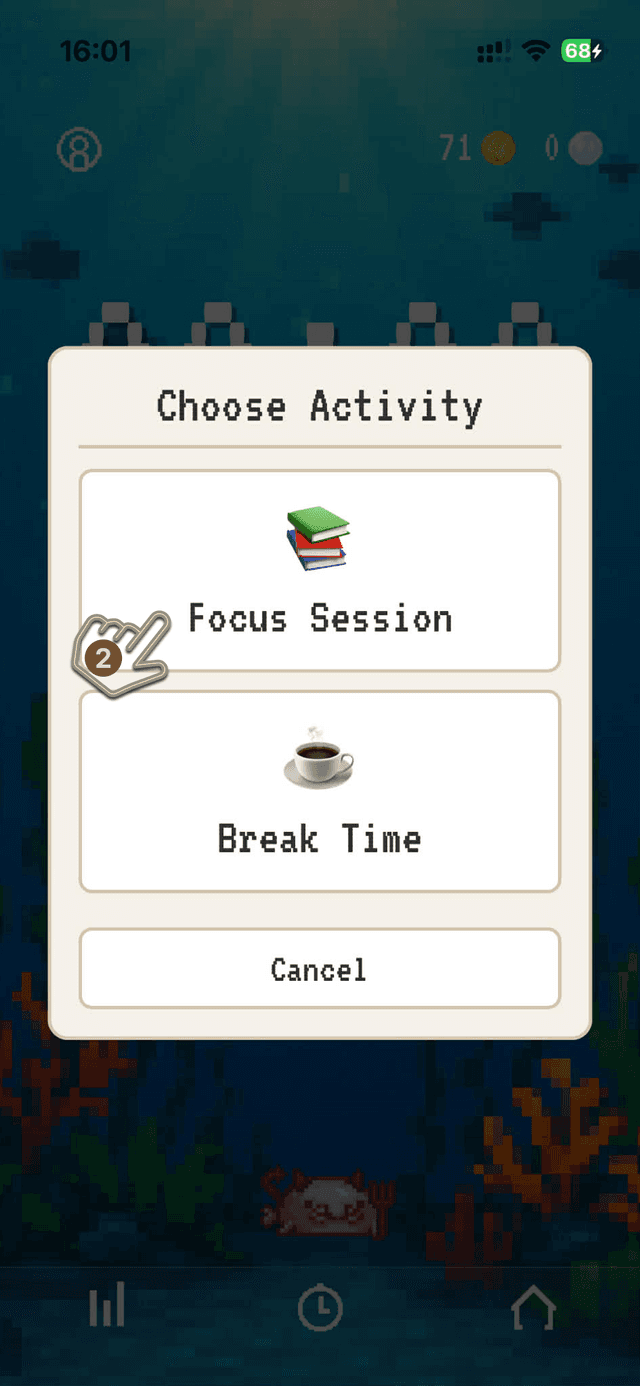
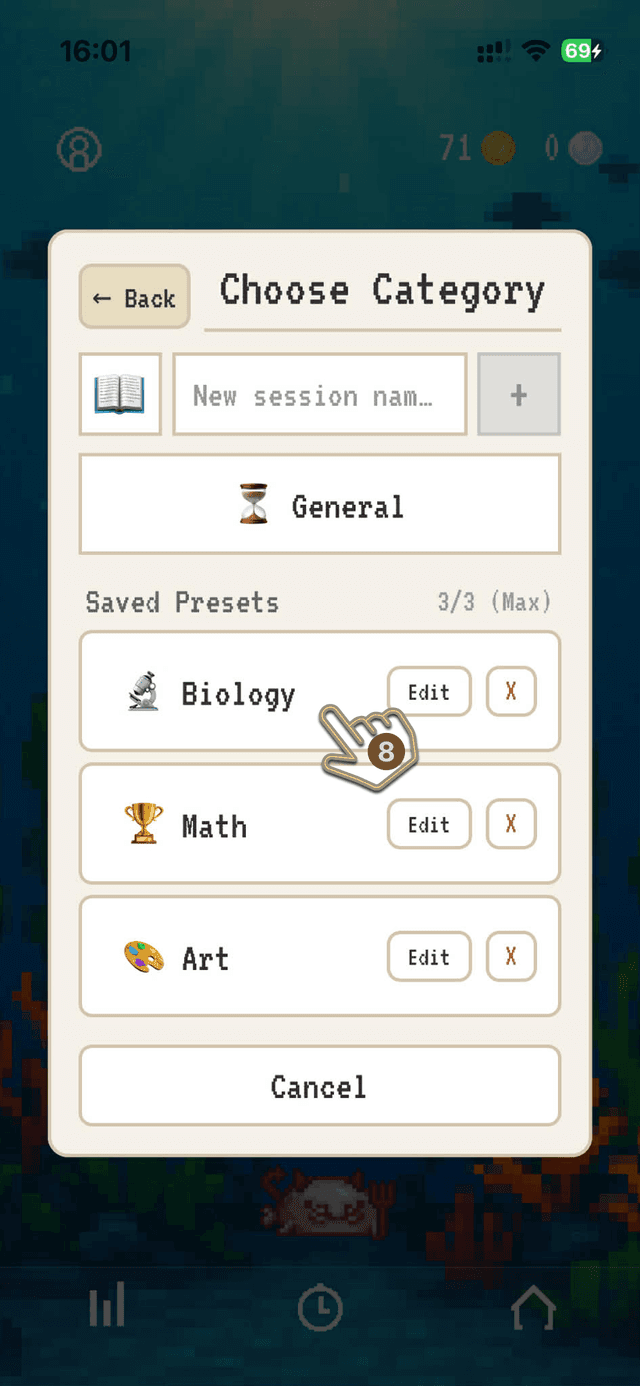
▸This will open another menu where you can select what you want to focus on
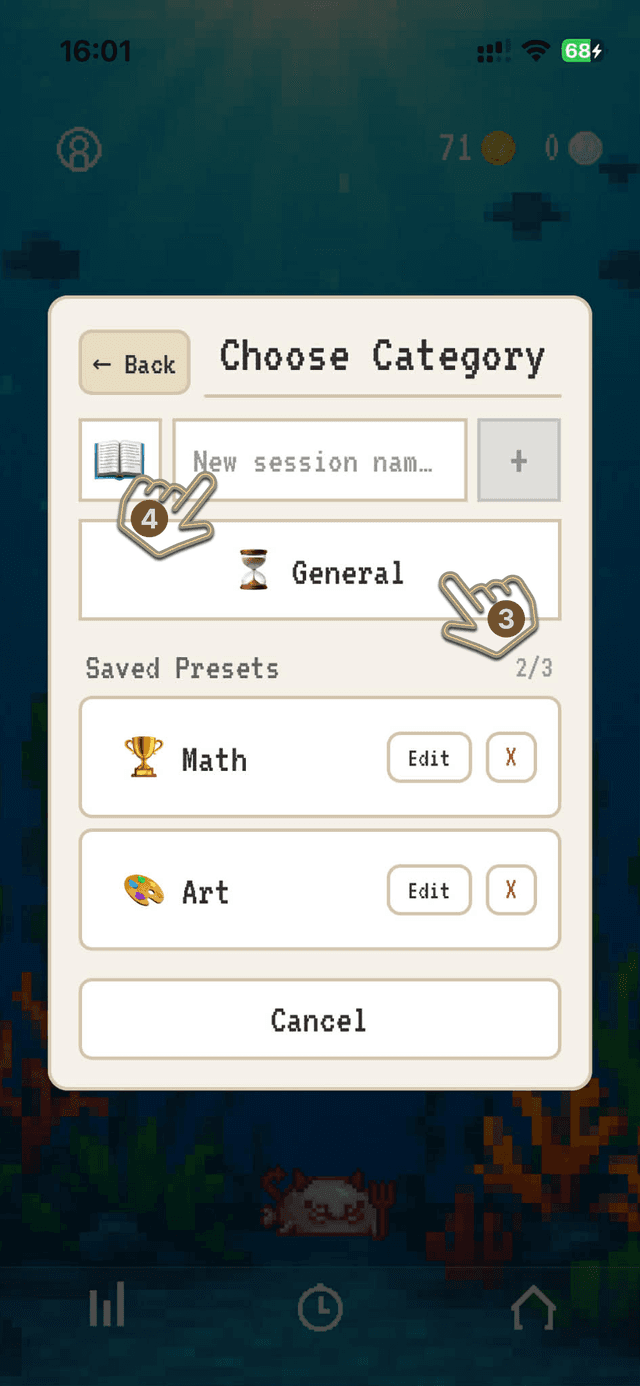
3.Select General Session
▸To jump right into a focus session select the default general session
4.Create a New Preset
▸Tap the text input box and type the name of your session preset (up to 20 characters)
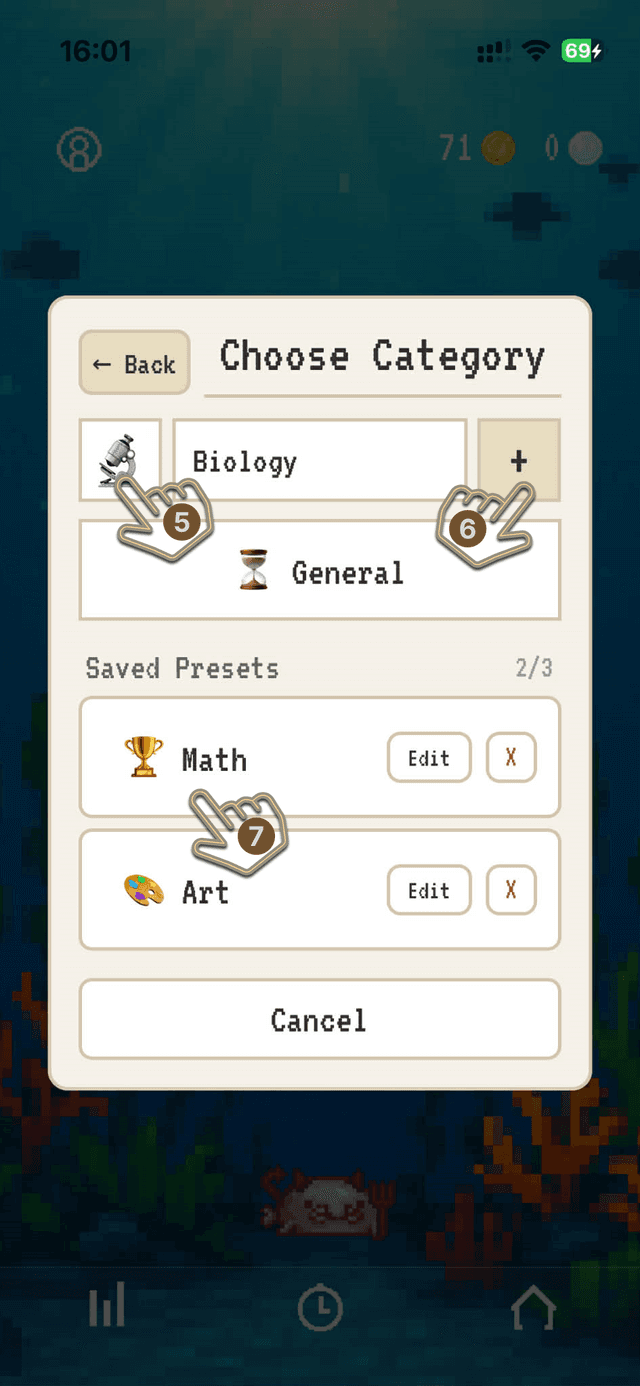
5.Select Emoji
▸Press the emoji to open the emoji selection menu, scroll through and select the one that best represents your preset
6.Confirm Preset
▸Once you are happy with the emoji and name, tap + to create a custom preset
▸Your new preset will then appear in the your Saved Presets list
▸Free users may save up to 3 custom presets, while Premium users may save up to 30 presets
7.Select one of your presets
▸To focus one of your presets thats already saved, simply tap on the preset from the list of saved presets
8.New Session Preset
▸The newley added Session Preset will appear in your list of presets, tap it to select it for your focus session
▸You can also edit or delete your presets at any time by tapping the Edit or X buttons
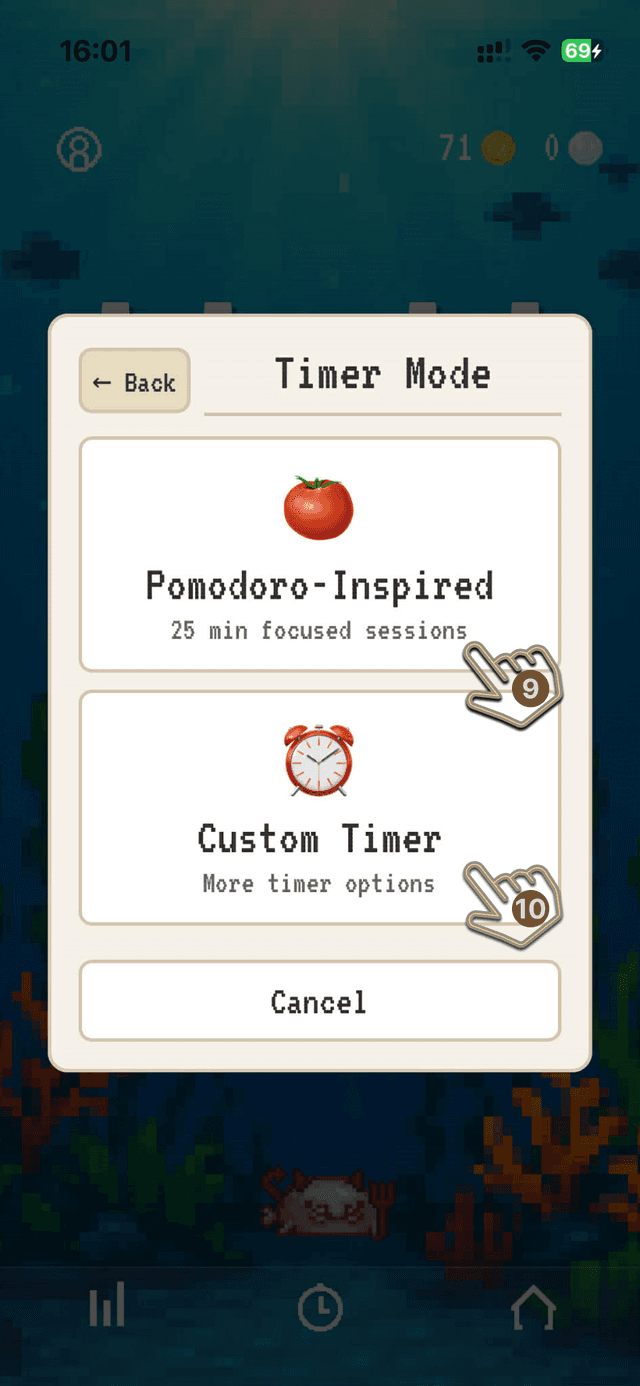
9.Pomodoro Style Mode
▸Tap this button to start a 25 minute focus session.
10.Custom Timer Mode
▸Tap this button to open the custom timer menu, where you can set any duration from 5-90 minutes for your focus session
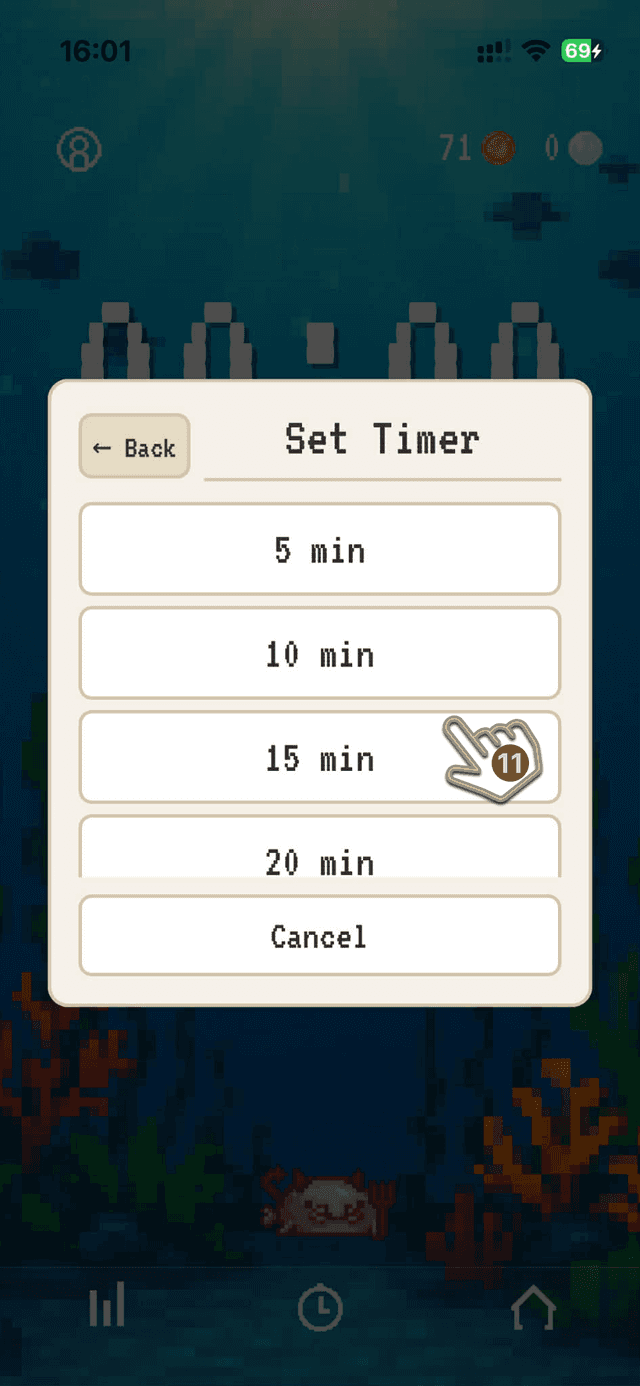
11.Select Custom Time
▸Select the time you want to focus for
▸Scroll down to see more options
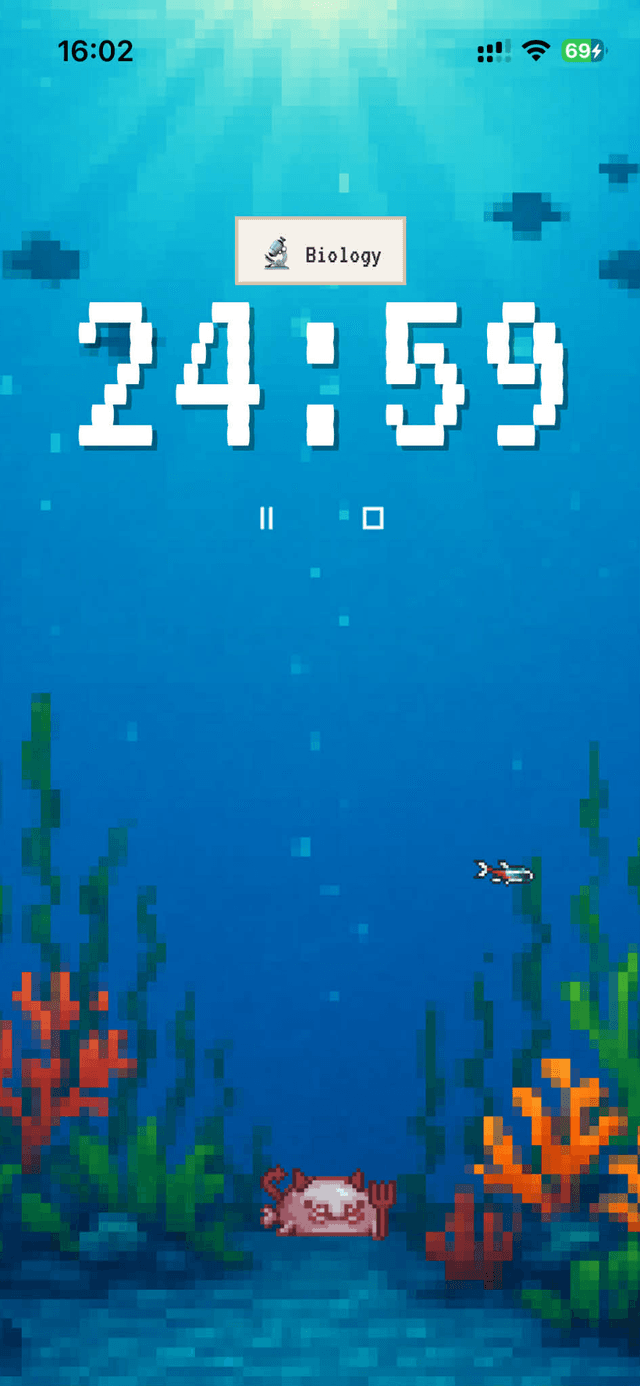
Timer Starts
▸Upon pressing pointer 9 or 11, your focus session will start and your timer will begin counting down.
▸Watch the countdown as your fish swim in your tank
▸Distracting buttons will be removed from the screen to help you stay focused
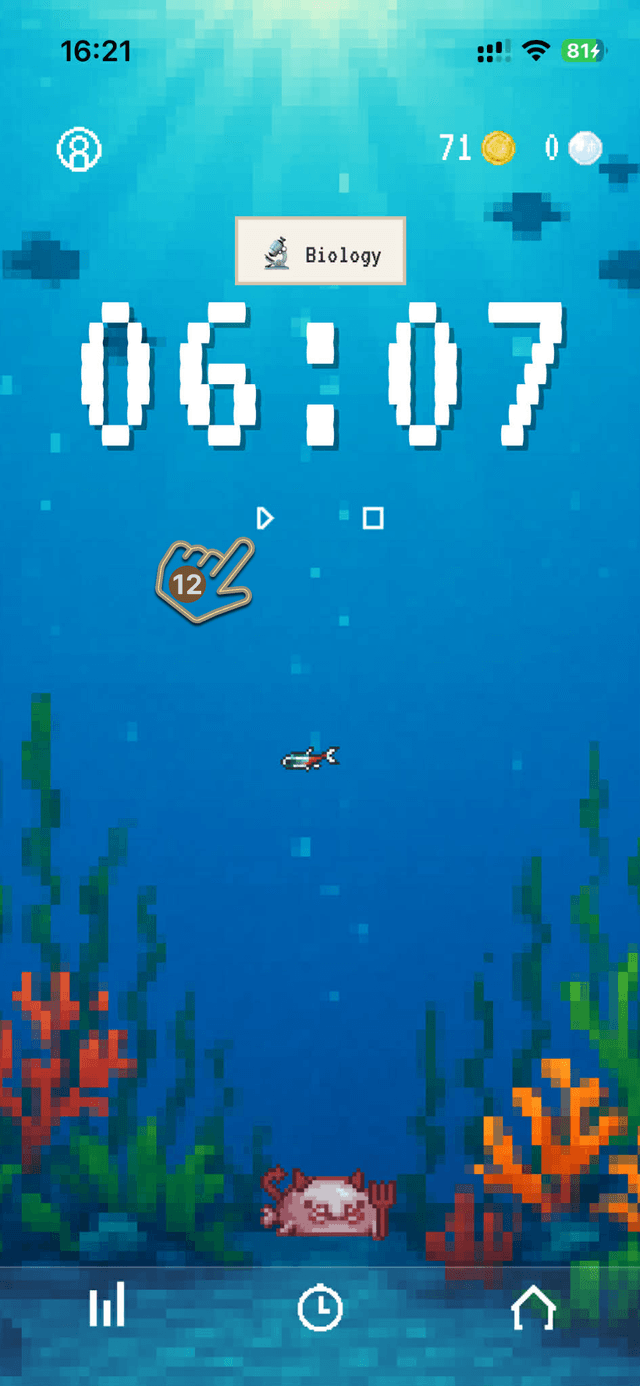
12.Pause Your Session
▸Tap pause/play to take a breather without losing progress
▸Screen buttons will return allowing you full access to the app again
▸Tap the pause/play button again to resume your focus session
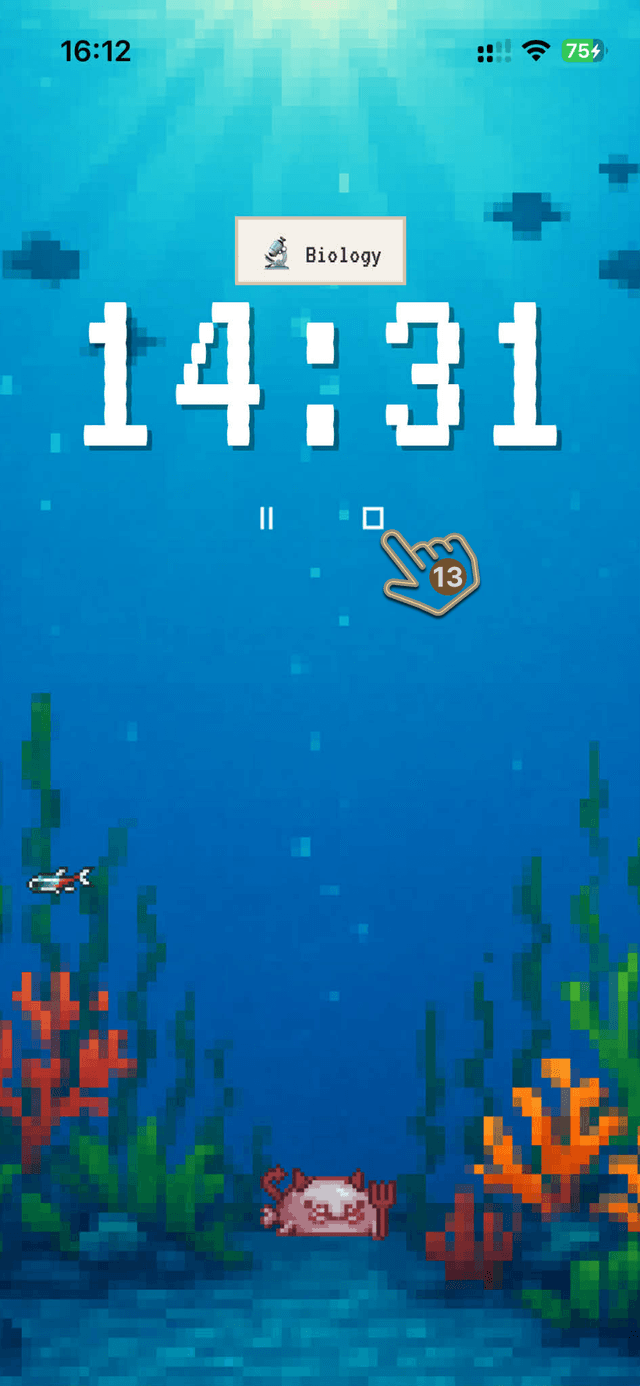
13.Finish Early
▸Tap stop to end your focus session early, you will only be rewarded for each 5 minute interval you completed, so try to finish your session completely to earn the most coins!
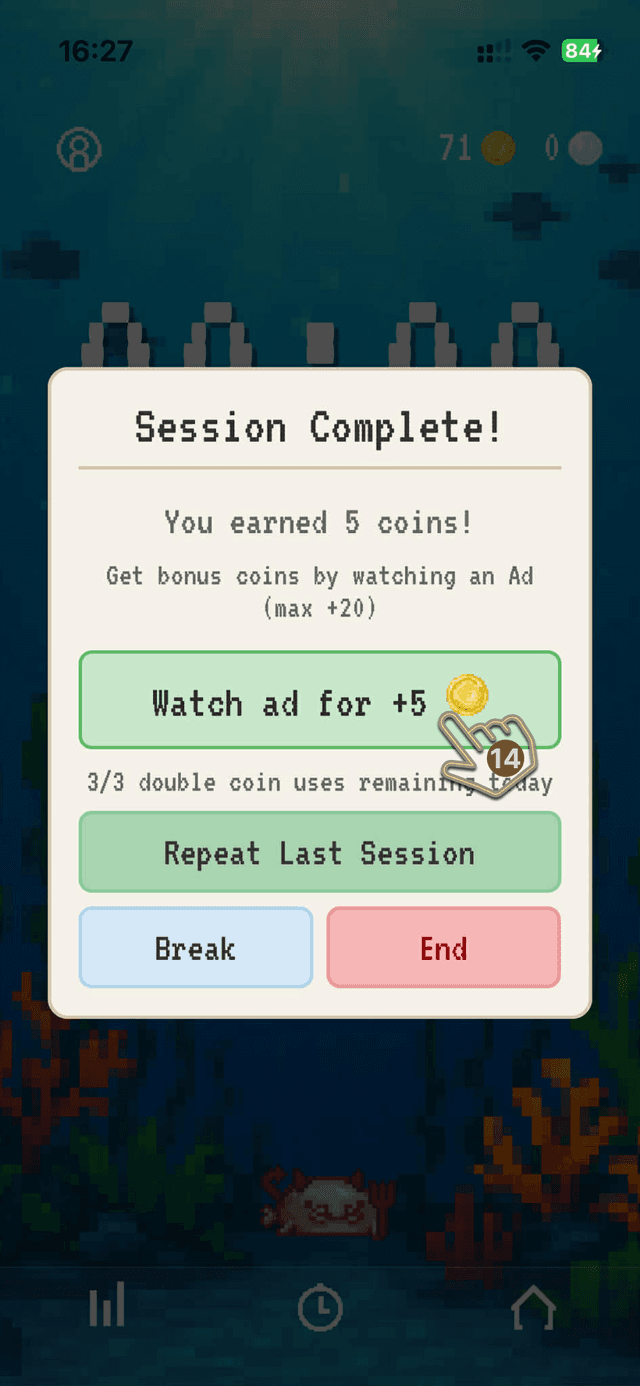
14.Session Complete
▸See your summary of your rewards
▸Whether you finished early or completed the full session, you will earn coins at a rate of 1 coin per 5 minutes completed
▸If you focused for 25 minutes, you will earn 5 coins, if you focused for 12 minutes, you will earn 2 coins
▸Double your coins (up to 20 extra coins per session) 3 times a day by watching a short Ad
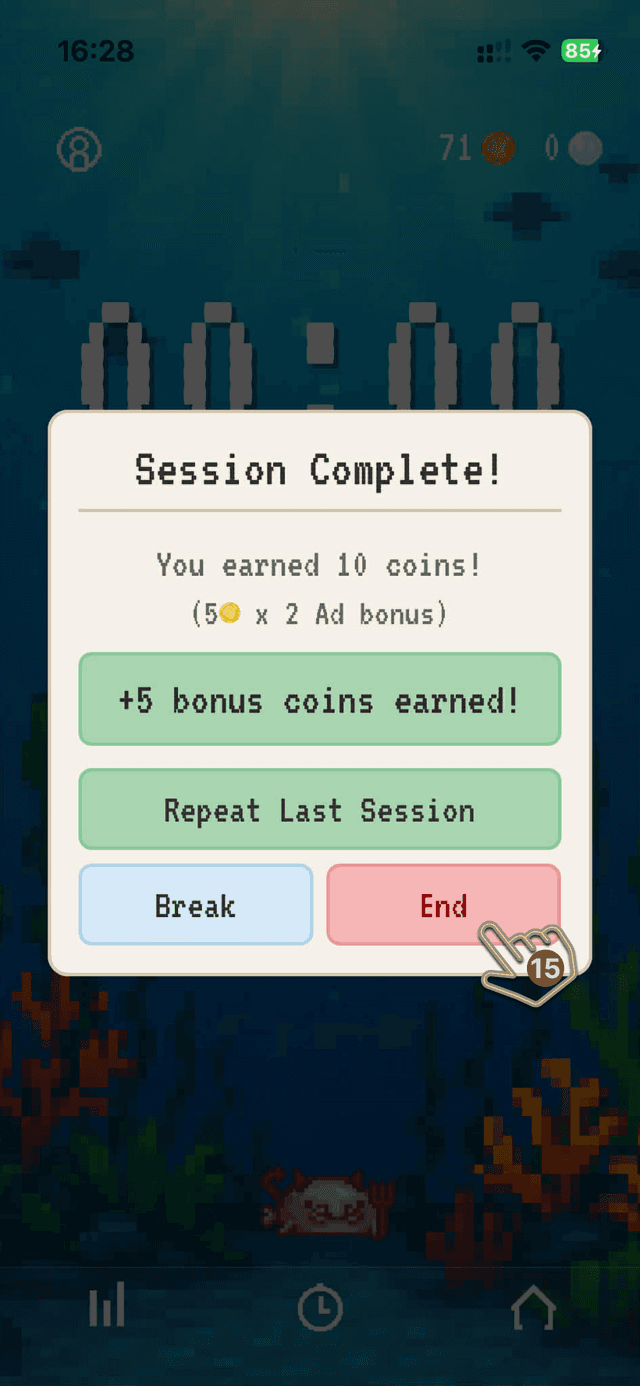
15.Complete the Session
▸At this point you have 3 options; Repeat Last Session, Break or End.
▸Repeat Last Session will start the same session again with the same preset you just completed
▸Break will bring up the Break Selection Menu where you can start a 5 or 15 minute break timer to give you a quick rest before your next session
▸End will take you back to your fish tank where you can start a new session or reward yourself with a fish purchase or roll!